
Solutions · PAIR 360
Record everything in the field so the office does not redo it.
The work that gets redone is not in the field: it is in the office, and it is paid by whoever did not go to site and has to answer weeks later with a folder of photos nobody can sort any more. PAIR 360 changes the order: first record everything, then decide what mattered.
The tour, from the inside
What you see when you open it.
The product screen, with its controls, exactly as the engineer sees it from the office.
-
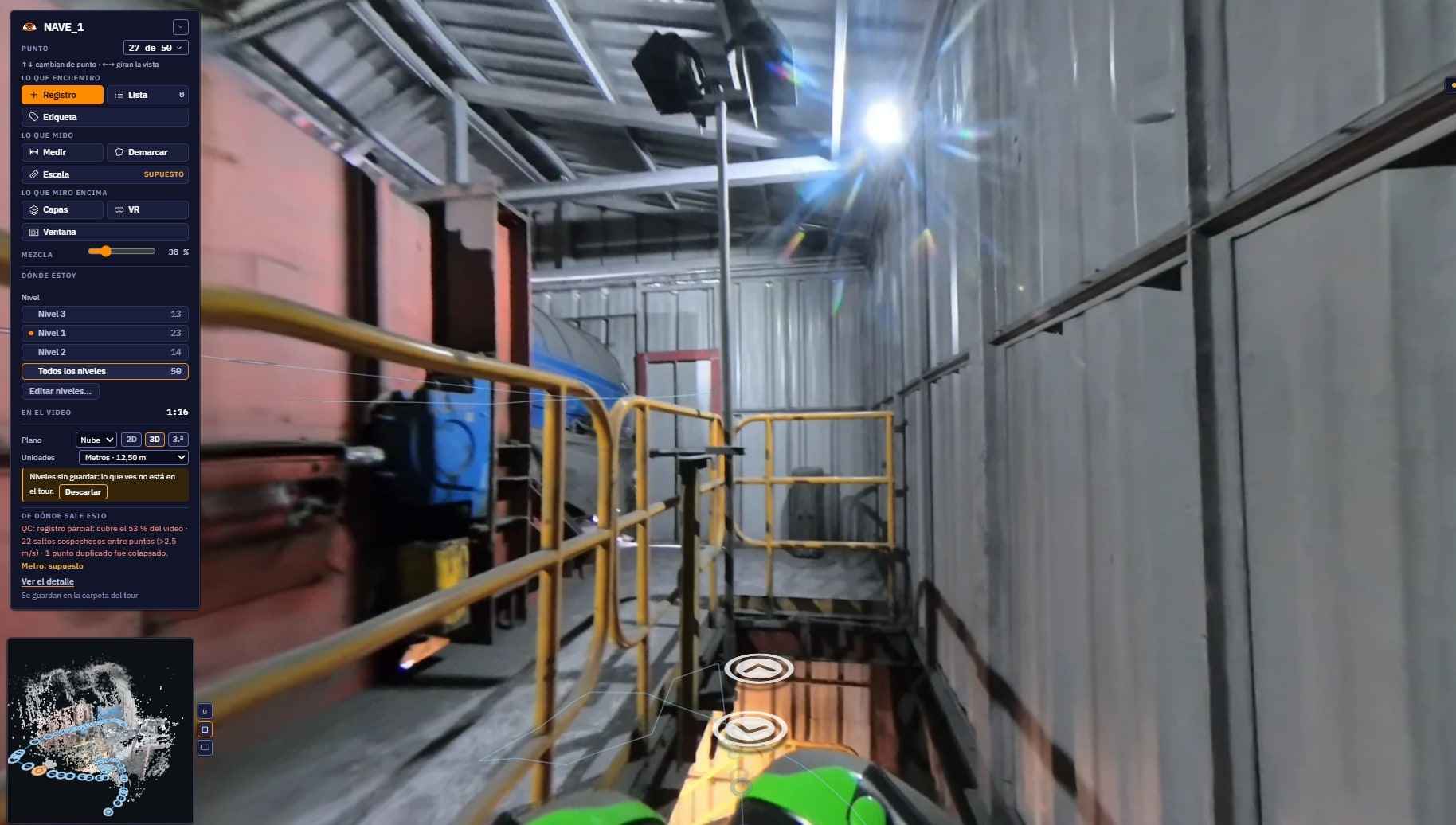
The viewer, with its minimap
You move point by point, and the minimap tells you where on the site you are standing and which way you are looking.
-
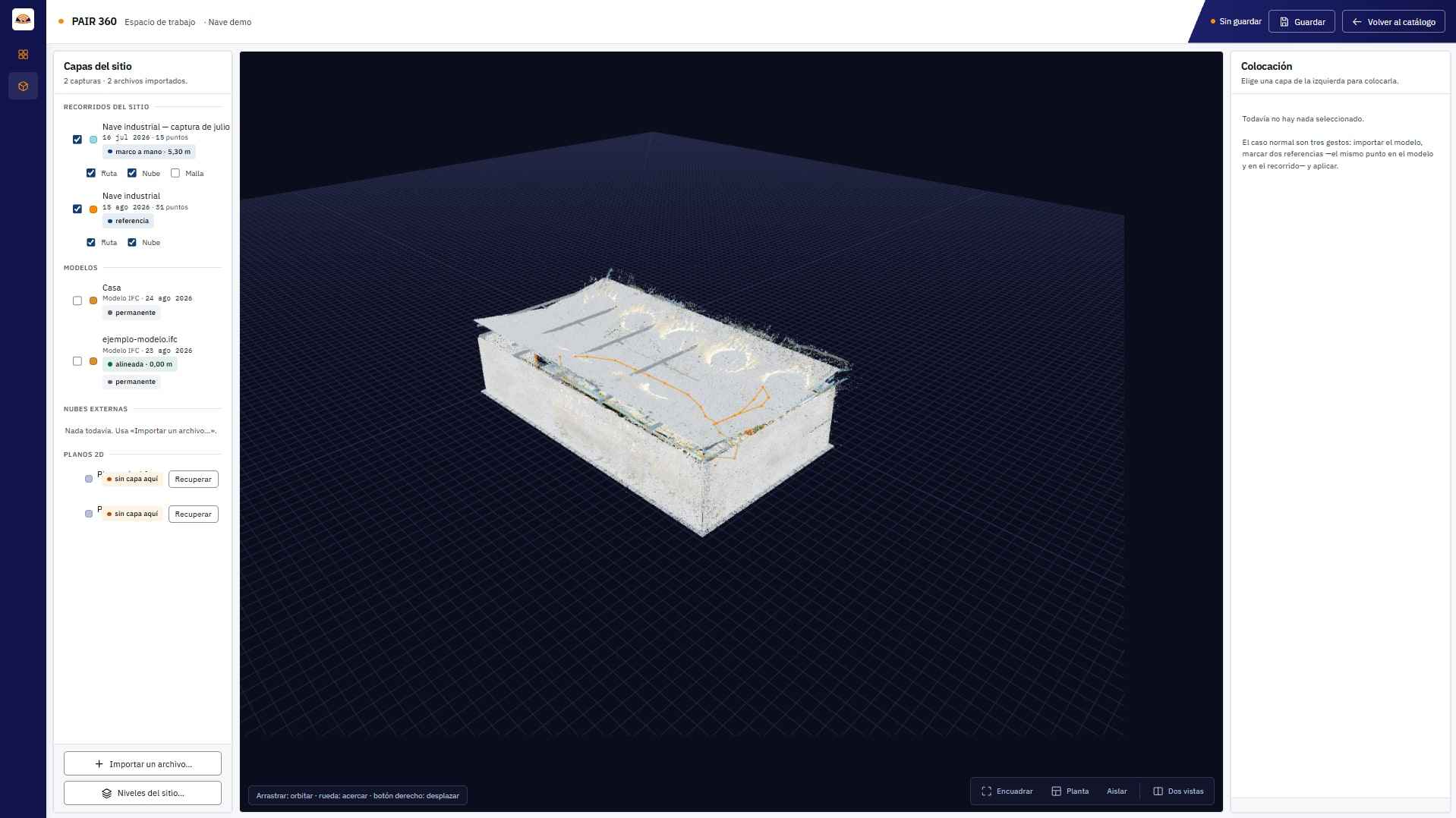
The point cloud, on top
The same capture, seen as geometry. It is used to check that the tour is where it says it is, and to measure between two points without going back to site.
-
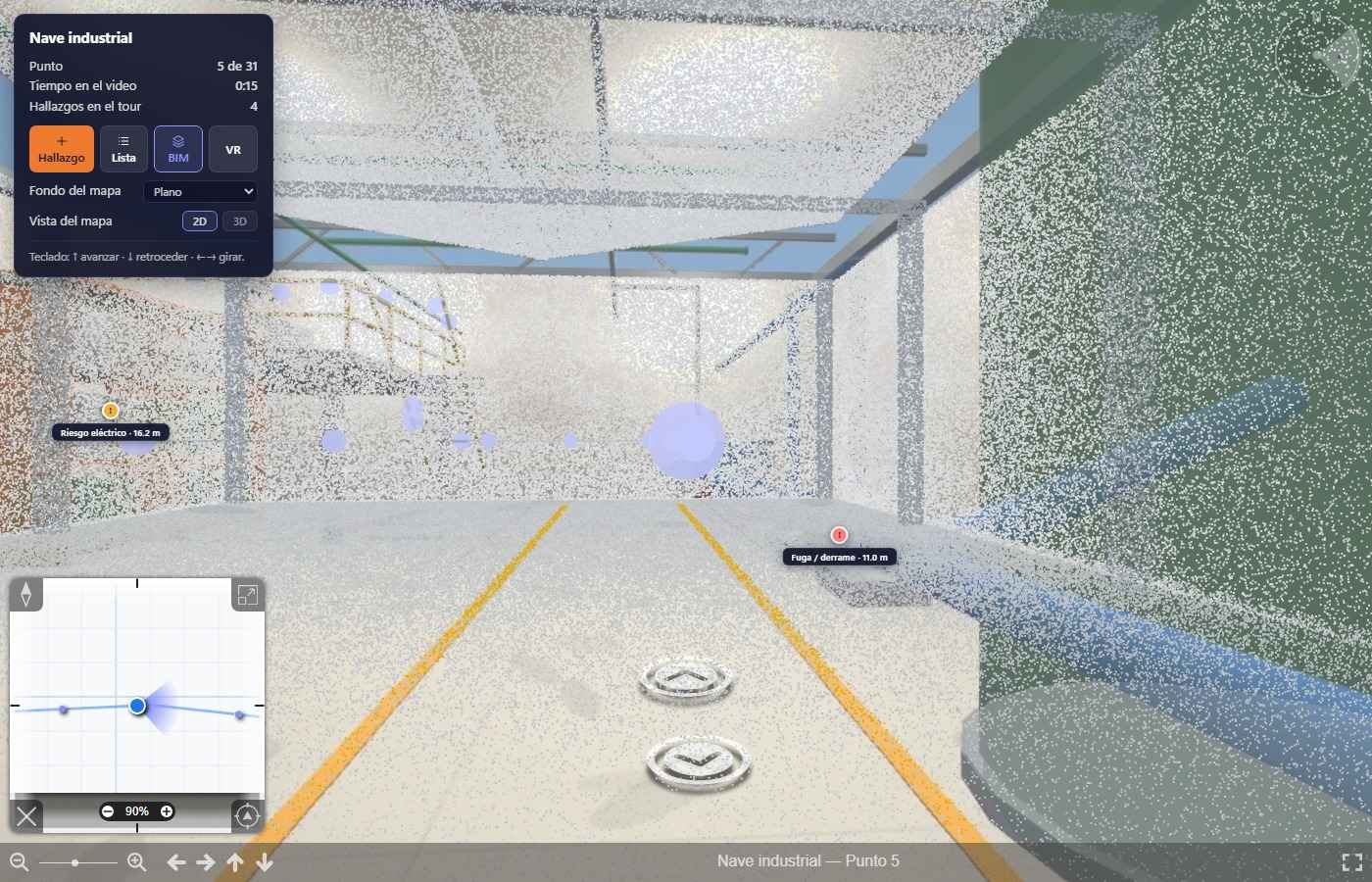
And the BIM model, if you have one
The IFC is overlaid on the tour. What gets compared then is not two photos: it is what is there against what the project said would be there.
-
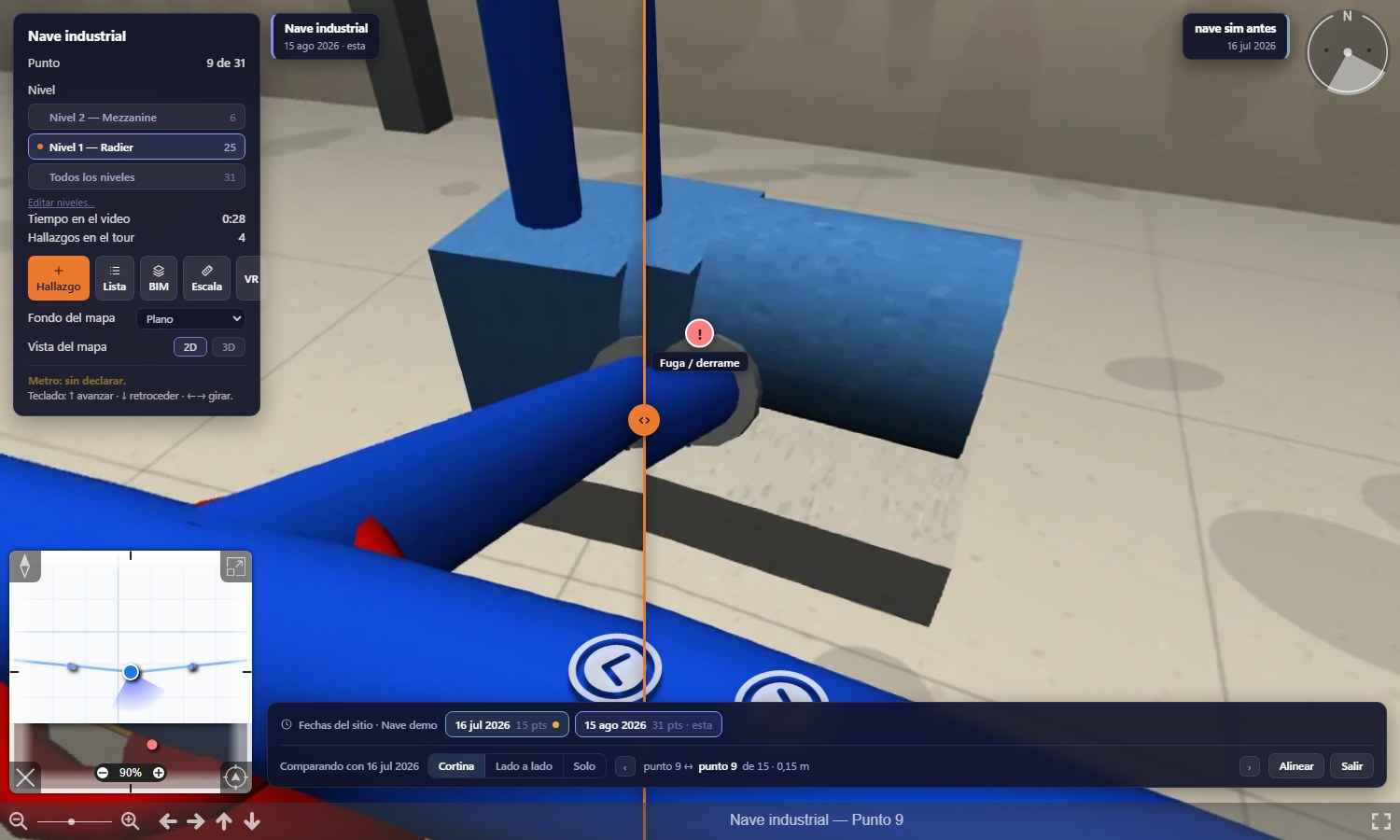
Two dates, with a curtain
The July capture and the August capture, at the same point and looking the same way. Drag the curtain and you see what changed. When the two captures do not cover the same ground, the product says so instead of inventing a percentage.
-
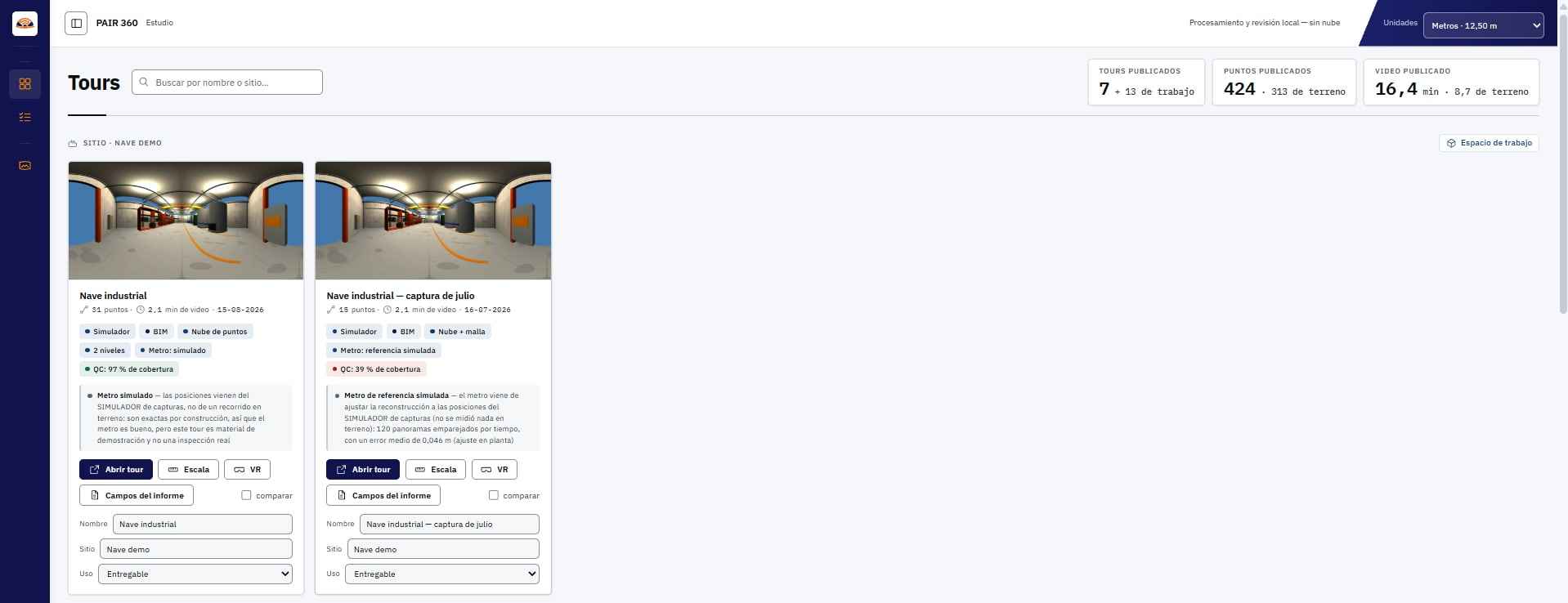
The studio, where everything lives
The catalogue of processed tours, with their points and their kilometres. From here each one is opened, shared and prepared for delivery.
-
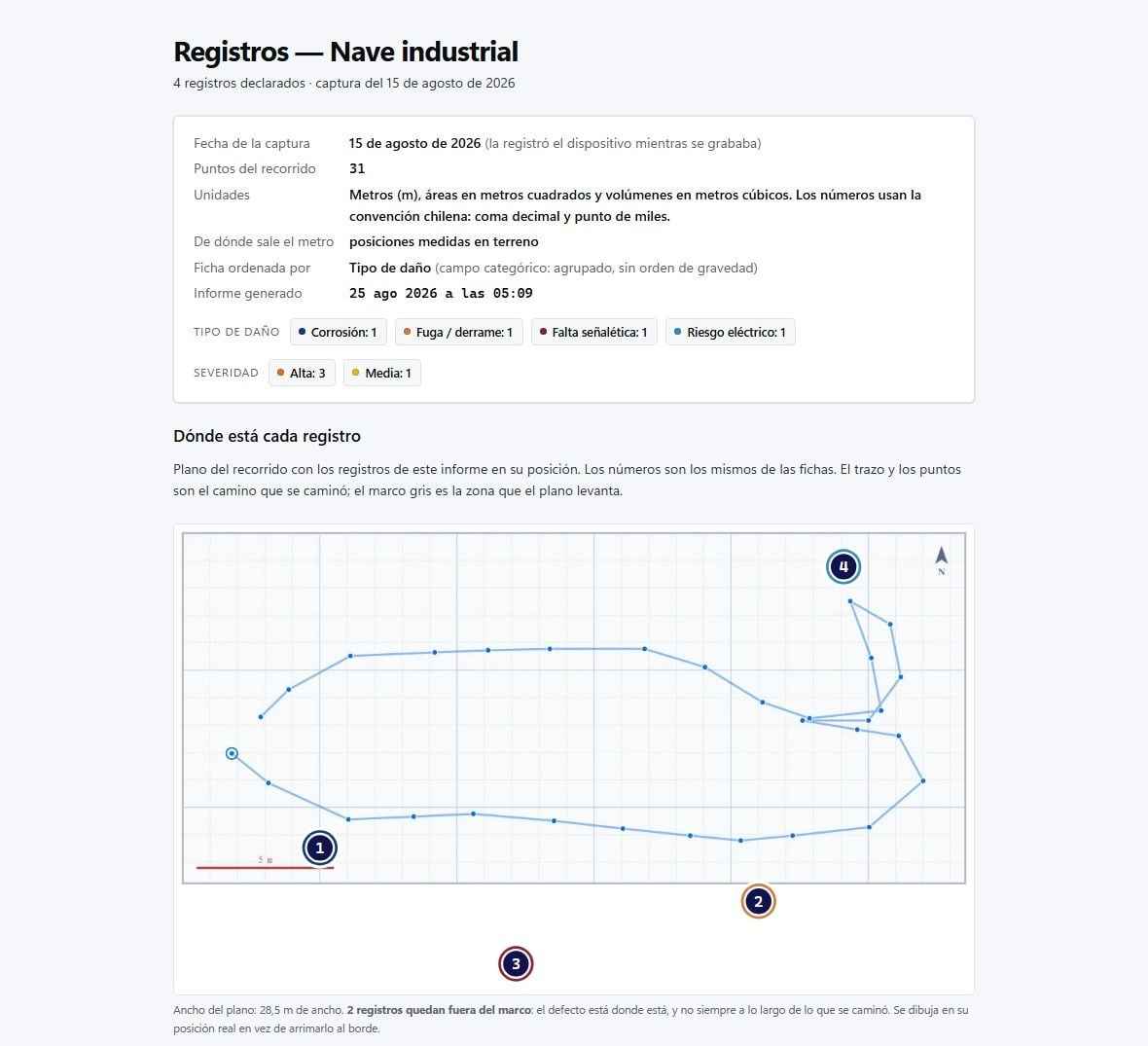
And what gets delivered
The report with cover page, signatures and provenance annex, plus the spreadsheet and the export for the system that already tracks your corrective actions. It opens from a link or from a USB stick, and asks nothing of the internet.
What it is#
The engineer enters from the office as many times as they want, a week or a year later, and sees what nobody decided to photograph. What they find is not left as a loose photo in a folder: it stays as a marker at the exact point, with its type, its severity and its attachments, and it is shared with a link.
Six sites where going back is not an option#
The condition is not commercial, it is physical: you need an enclosure you can walk, with structure nearby. Where that holds and going back is expensive, the tour pays for itself.
- Mining. The site is far away, getting in requires accreditation and protective equipment, and the inside of a concentrator plant is exactly the enclosure where the tour works best.
- Power. You cannot stay inside an energised substation: you go in, you do what you came to do and you leave. Recording the whole walk is the only way to look twice.
- Plant shutdown. Seventy-two hours of access to equipment that is then closed for a year. What was not recorded while it was open does not get recorded.
- Assembly. The same pipe rack in March and in September, from the same point and looking the same way, for the meeting with the site inspection engineer.
- Ports. The vessel berths, the work is done, the vessel sails. The tour is recorded while the ship is there, because afterwards it is not.
- Manufacturing. The scheduled shutdown, the 5S audit and the maintenance round all happen inside a shed: closed enclosure, structure nearby and even light.
What it is compared against, when the question reaches the office#
Four ways of answering, weeks later, a question about a site you no longer have in front of you. They are nobody’s products: they are the methods used to answer today, and each one genuinely solves something.
| The alternative | What it does solve | What it leaves unsolved in the office |
|---|---|---|
| Three hundred loose photos in a folder | They prove, up close, whatever somebody decided to photograph that day, without buying anything or learning anything new. | None of them says where it was taken from. Sorting them afterwards is the rework, and it is done by whoever was not there, with someone else’s memory. |
| The second trip, the office specialist’s | Looking with your own eyes, which is still the best there is. And the first trip is not in question: the inspector goes up to site anyway. | Accreditation, protective equipment and days. There are enclosures where that second trip does not exist: an energised substation, a seventy-two-hour shutdown, a ship that has already sailed. |
| A scan contracted from a third party | Geometry to construction tolerance. The scanner wins this row, and we say so here: if you need to measure the installation, you need a scanner and not a 360 camera. | It has to be contracted, scheduled and waited for, and what gets surveyed is what was asked for that day. The tour is recorded by the same inspector, on the round that was already happening. |
| A video call with whoever is there | It answers today, live, and there is nothing to process afterwards. | It needs signal on site and both people at the same hour. When they hang up nothing is left to look at again; the tour opens a week or a year later, as many times as needed. |
[ the table continues to the right ]
The scanner measures where the 360 camera does not; the site visit is not replaced, it is archived.
What the viewer has#
| In the viewer | What it does |
|---|---|
| Anchored finding | A marker at the exact point, with its type, its severity, its image crop and its attachments. The anchor is checked against the model, to the millimetre. |
| Minimap | The tour points on the floor plan, each one clickable, with a switchable background. Beside it, a three-dimensional view you can orbit to place yourself inside the whole building. |
| Real height per floor | In a shed with a mezzanine, the lower points sit at 1.60 m and the upper ones at 4.60 m. Not all on the same plane. |
| BIM model by layers | If there is a model, it switches on over the tour layer by layer, with opacity control, and the parts behind a wall are dimmed. |
| Two dates, side by side | The same place in two tours taken months apart, with a curtain you drag with the mouse. It works for progress on an assembly and for the deterioration of an asset. |
| The inspector’s route | The path they walked, point by point, on the floor plan. Each point says which minute of the video it is at and opens the tour there. |
[ the table continues to the right ]
The floor plan, the tour and the model are aligned by hand once, and that position is saved.
What people ask before trying it#
What do you need in order to record?
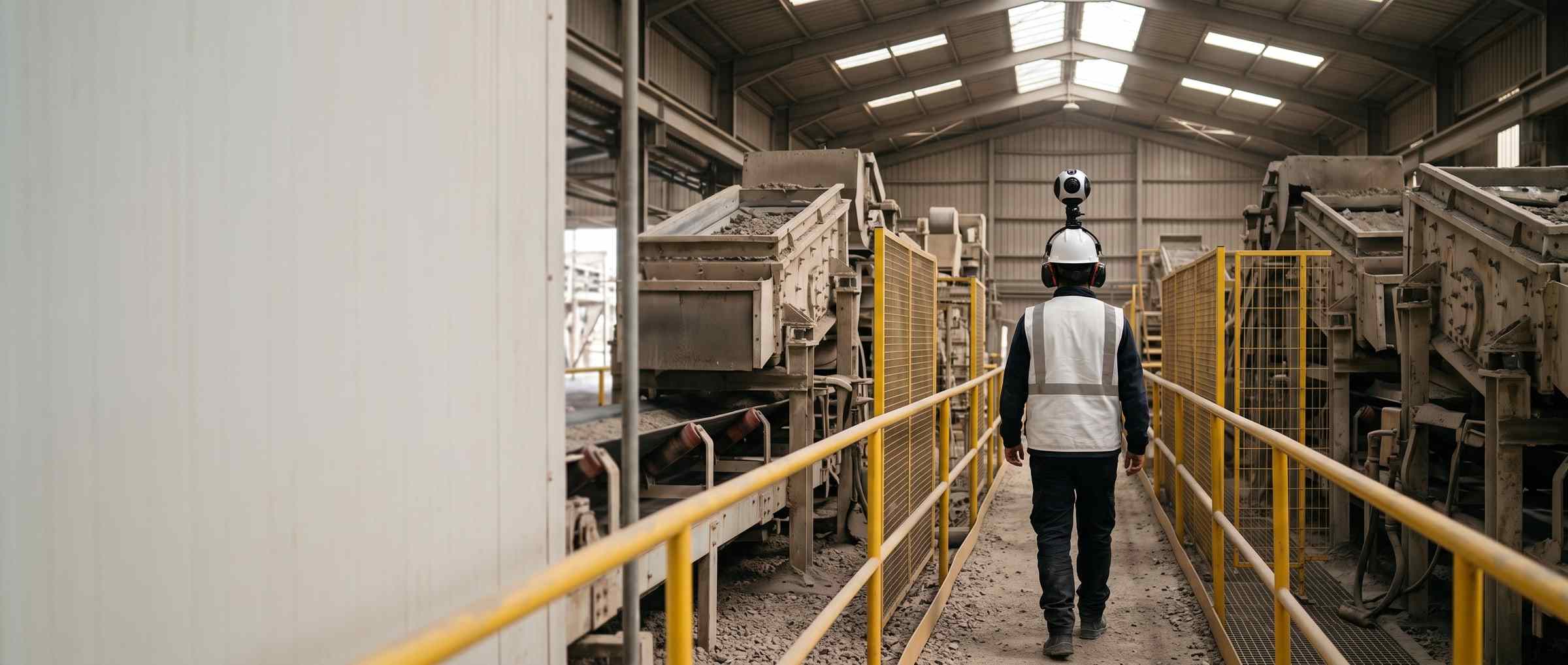
A 360 camera mounted on the helmet. No tripod, no GPS, no station: the tour is positioned from the video itself. The inspector walks the installation recording, at normal pace, and hands over the file.
What happens to the faces of the people in the video?
They are blurred when the tour is processed, irreversibly, and each tour keeps a record that it was applied. The detail is under Security and data.
Where does a finding end up today?
Inside the tour, in its own record, with export to CSV and JSON.
Who can open the tour?
It opens in the browser, with nothing to install. A finding’s link leaves whoever opens it at the exact point, so the engineer, the site manager and the client argue about the same thing, and not about which photo it was.
How it is charged#
It is added to Profesional or Enterprise and quoted against what you record: how many tours, how long and over what area. It is not included in the monthly fee and it is not metered: we estimate it with you beforehand.
What the trip a remote review replaces weighs is counted, with its factor and its source, on the sustainability page.
Demo
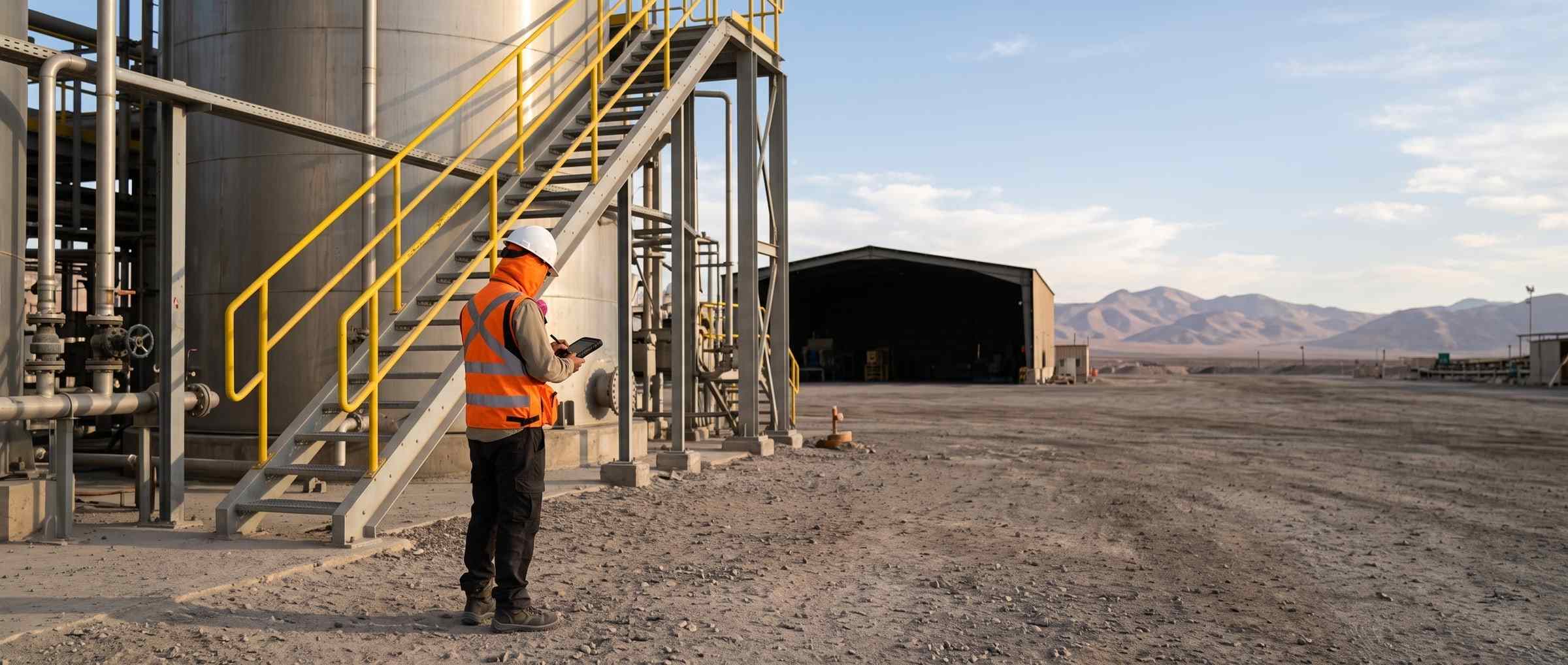
Start with a video of your site
There is nothing to buy and nothing to install. If you have a video of a walk through your installation, we process it and send you back the tour so you can open it in the browser. It is the same thirty-minute call.
- Would you rather look at the plans first? See pricing.
- Still have questions? Check the FAQ.